Can I remove the ‘users present’ display on a site?

The display of the ‘users present’ information can be suppressed by the central WebLearn team.

If you would like take advantage of this facility then please get in touch with us stating the site URL and the name of the site.

Posted in Sakai, WebLearn | Tagged , , | Leave a comment

WebLearn courses during Hilary Term 2011

Here are the dates for WebLearn courses and the WebLearn User Group meeting during Hilary Term 2011. Course details are available on the courses database and bookings open 30 days in advance of each course: http://www.oucs.ox.ac.uk/itlp/courses/.

There is now a regular course on using the Survey tool in WebLearn. There are two offerings of the Migrating your Content course, to support you in migrating content from old to new WebLearn. Please note that all content needs to be migrated by June 2011, after which the old system will become read only.

WebLearn: Fundamentals

  1. Monday 17 Jan 9.15 am (week 1);
  2. Wednesday 16 February 9.15 am (week 5);
  3. Tuesday 15 March 2 pm (week 9)

WebLearn: Making your site work

  1. Wednesday 23 February 9.15 am (week 6)

WebLearn: Migrating your content

  1. Wednesday 26 January 2 pm (week 2);
  2. Thursday 24 February 2 pm (week 6);

WebLearn: Surveys

  1. Monday 28 February 2 pm (week 7)

WebLearn User Group

  1. Wednesday 9 March 2 pm (week 8)

Plagiarism: WebLearn and Turnitin

  1. Wednesday 2 Feb 12:20-13:30 (week 3)
Posted in WebLearn | Tagged , , | Leave a comment

Sakai Conference 2011 moved to North America

The Sakai Foundation have announced plans to relocate next year’s Sakai conference from Berlin to an as yet unspecified venue in North America. the dates remain the same though (June 14 – 16, with pre-conference sessions on June 13).

This news was relayed in a message from Ian Dolphin which also outlined changes in staffing by the Sakai Foundation and thoughts about the upcoming Sakai 2 / OAE hybrid VLE.

Link

Posted in Apereo OAE (formerly Sakai OAE / 3), Sakai | Tagged | Leave a comment

Time to Apply – Teaching with Sakai Innovation Award

The entry process is now open for the 2011 Teaching with Sakai Innovation Award (TWSIA). The application and supporting materials are available at http://openedpractices.org/twsia.

The 2011 award seeks to expand the sharing of innovative teaching and collaboration practices to include:

  1. – Higher education face-to-face courses
  2. – Higher education distance education or hybrid courses
  3. – Primary and secondary education courses
  4. – Non-traditional, or non-course uses of Sakai

Select winners will have expenses paid to present their winning entries at the Sakai Conference in Berlin, Germany in June 2011. This is possible through the generous sponsorship of IBM Global Education and the support of rSmart, and Wiley Higher Education. (Thank you.)

Please consider applying, and encourage others in your organization to apply.

If you have questions or require assistance to evaluate participation, the TWSIA committee is extremely helpful and responsive.

Thank you,

Kim Thanos, Communications Lead, kthanos@sakaifoundation.org

Posted in e-learning, Sakai, WebLearn | Tagged | Leave a comment

Sneeky Peek of Sakai Open Academic Environment (aka Sakai 3)

From the Sakai newsletter:

NYU Launches Pre-Release Pilot of Sakai OAE/SAKAI 3

New York University is pleased to announce the launch on November 5,2010 of the first pre-release pilot of the Sakai Open Academic Environment (OAE) — a revolutionary platform for academic networking and collaboration. The NYU instance of Sakai OAE will be known as the ATLAS Network (Advanced Teaching, Learning, And Scholarship Network). The pilot will grow to include 5000 students and faculty from six different NYU schools.

See a screencast demonstration of the ATLAS Network here:

The NYU pilot focuses on two important areas of need. It provides a single NYU network for many diverse university communities to use. And it provides a flexible set of options for implementing portfolios. Features include searchable profiles, group spaces and uploaded content, and two portfolio implementations. The pilot is being overseen by a cross-school, academic-led committee charged with oversight of the development and implementation of the Sakai OAE environment at NYU. Initial funding for Sakai at NYU was provided by a 2008 National Endowment for the Humanities Digital Humanities Start-Up grant.

For more information about the ATLAS Network, contact Lucy Appert (lucy.appert@nyu.edu) or James Bullen (jb@nyu.edu).

Posted in Apereo OAE (formerly Sakai OAE / 3), e-learning, Sakai | Leave a comment

The benefits of an Open Source VLE

Start Lee and Melissa Highton recently gave a virtual presentation to a conference in Malaysia via Skype. One of the things they spoke about is the benefits to Oxford of choosing an Open Source VLE.

FutureGov Asia picked up on this and reported their statements widely.

Link

Posted in e-learning, Sakai, WebLearn | Tagged | Leave a comment

Displaying WebLearn calendars on external websites

Some users are taking advantage of WebLearn’s ability to export calendars in ‘iCal’ format and are syndicating their calendars to departmental intranets or public websites.

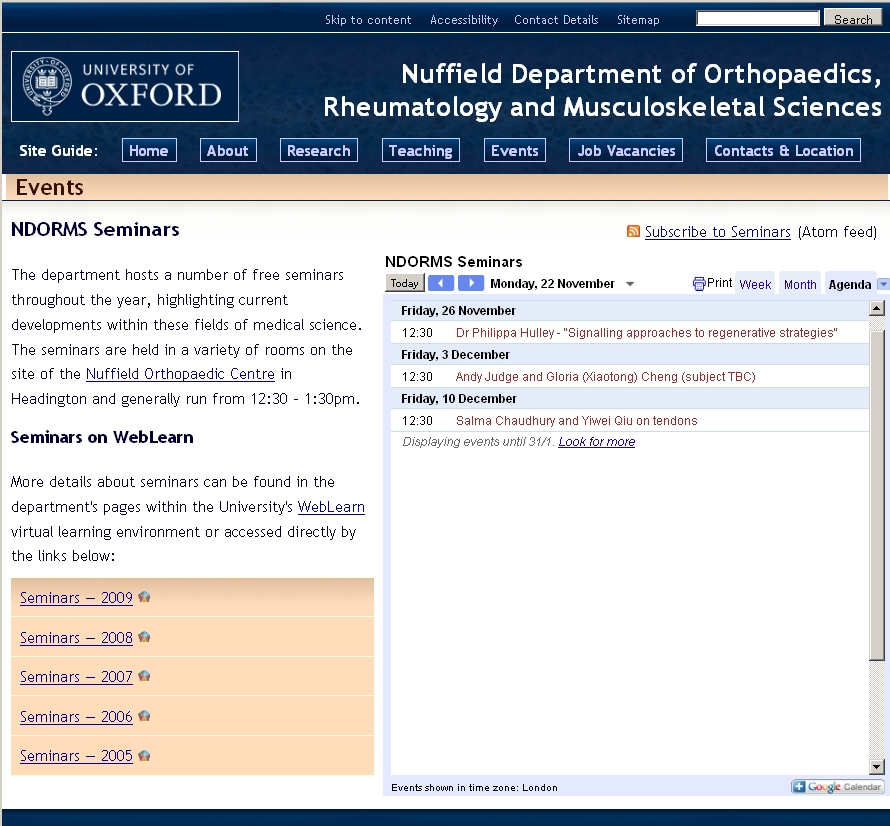
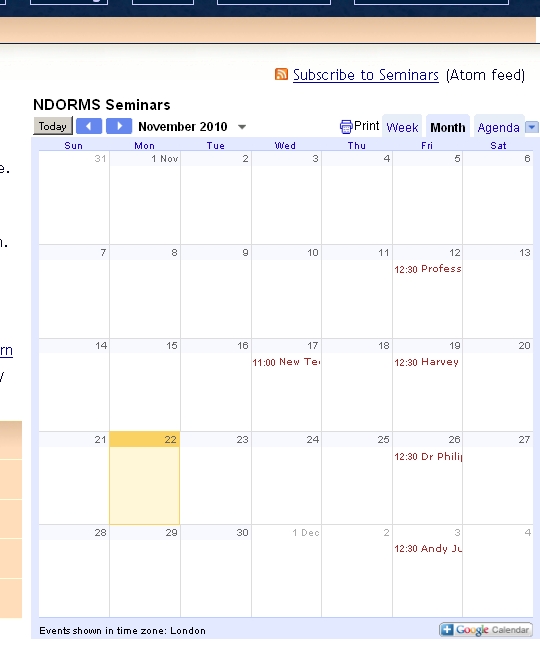
Nuffield Department of Orthopaedics, Rheumatology and Musculoskeletal Sciences also (luckily) known as NDORMS have adopted such an approach as the following screen-shot testifies.

ndorms-calendar

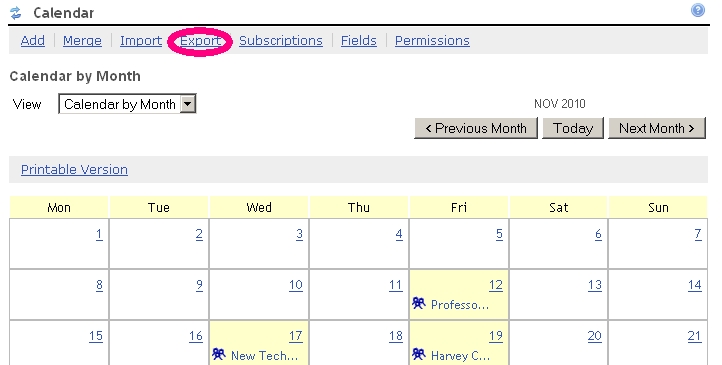
They have a WebLearn site within which resides a calendar of seminars and have generated a public iCal feed of the site’s calendar by clicking on the ‘export’ link within the menu of tool options.

ndorms-export

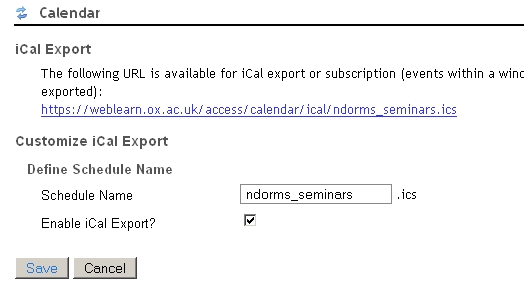
After deciding upon a URL for the feed it is possible to subscribe other calendars to this URL – click on the ‘Export’ link again to determine the URL.

ndorms-ical-url

Clearly, it is possible for individuals to subscribe to this iCal feed through a mail client, eg, Thunderbird or Outlook, but it is also possible to subscribe using Google Calendar. The advantage of this approach is that Google provide some custom HTML code to display their calendars in a variety of formats on an arbitrary web page (including a WebLearn page if so desired). To do this one must have a Google account and then must create a new Google calendar to act as a wrapper for a WebLearn calendar. It is this ‘wrapper’ calendar that will be syndicated.

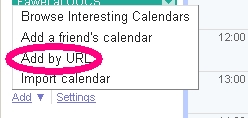
To display a WebLearn calendar within a Google calendar click on the ‘Add’ link at the bottom of the left-hand side of the screen (underneath ‘Other Calendars’) and select ‘Add by URL’.

ndorms-google-import-1

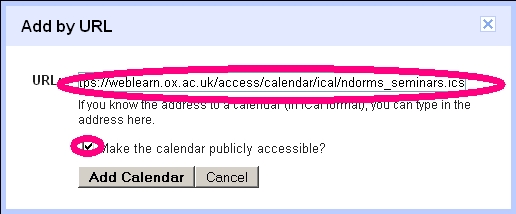
Then enter the WebLearn calendar URL and elect to make the calendar public.

ndorms-google-import-2

To get a display of the HTML code that will be used to display your Google calendar, click on ‘Settings’ underneath ‘My Calendars’ (on the main Google calendar display page) and then click on the calendar name. The HTML code is located under the ‘Embed this calendar’ section and can be copied and pasted onto an external site.

ndorms-google-embed

This approach is slightly awkward but does deliver great benefits such as the ability of the viewer to select different views. After the initial set up the only real issues are that there is a slight lag between the events being updated in WebLearn and them propagating onto the external web site.

ndorms-calendar-weekly

Thanks to Wulf Forrester-Barker for suggesting this approach.

Posted in Sakai, WebLearn | Tagged , , , | Leave a comment

WebLearn’s Mobile Phone Interface

I thought it would be useful to explain the mechanics behind the WebLearn (Sakai) mobile phone interface (m.ox).

Mobile Oxford (or m.ox) is based on a piece of open source software called Molly which relays (or ‘proxys’) requests from a browser running on a smartphone to WebLearn via a special interface called ‘Entity Broker’. When queried, WebLearn sends information back to m.ox which then constructs a web page and forwards it to the user’s phone; different phones will receive slightly different pages in order to make the most of the phone’s screen. We have adopted an iPhone-like interface and do not intend to present a small version of a regular WebLearn page.

The very first time a user tries to access WebLearn via m.ox they are challenged to authenticate via the normal ‘Webauth’ Oxford Single Sign On (SSO) page. Successful authentication will direct WebLearn to trust any requests originating from m.ox until told otherwise. In other words, m.ox will become a trusted proxy for WebLearn albeit with a much reduced permission set (mainly read access but with some write access).

Authentication is based on an open protocol called oAuth which is also used by Flickr and Twitter. The advantage of oAuth is that one does not need to enter a username and password every time, once authenticated the username and password will not be required again for a very long time.

To allow m.ox to access WebLearn on your behalf,  follow the instructions on screen: an example is shown below for the “Sign-Up” tool.
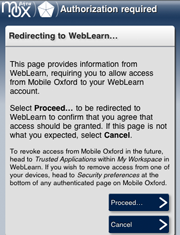
mox-weblearn-1

m.ox requires authentication

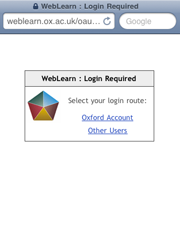
mox-weblearn-2

Select either Oxford Account or Other Users (cf WebLearn login)
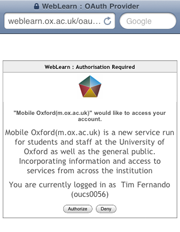
mox-weblearn-3

Confirm that you want webLearn to trust Mobile Oxford (m.ox)
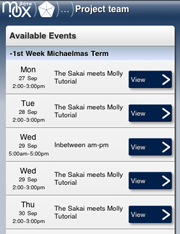
mox-weblearn-4

WebLearn will now trust m.ox and has dispatched a page to your phone

If at anytime you want to stop your phone having access to your WebLearn account you may stop it by using the instructions on m.ox. Alternatively, and this may be useful if your phone has been damaged, lost or stolen, login to WebLearn click on the  “My Workspace” tab and access the “Trusted Applications” tool in the left-hand side menu. Removing m.ox from the list of applications tells WebLearn to no longer trust m.ox, in other words, your phone will no longer be able to connect to WebLearn until you once again supply your Oxford SSO credentials.
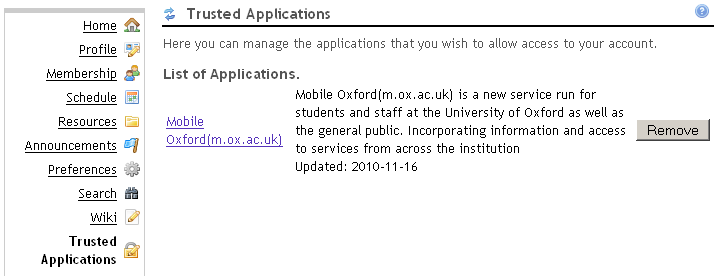
mox-wl-trusted-apps

The following tools are currently or will be available via m.ox:

  1. Polls
  2. Sign-up
  3. Resources
  4. Surveys (evaluations)
  5. Announcements

By ‘abvailable’ we mean that we have applied oAuth authentication and (with the exception of Resources) developed a smarthphone interface. Adding oAuth support to Resources was necessary as images or attachments may be used with most of the tools listed above, however, it is not currently possible to browse and download files from within the Resources tool.

We would like to add other tools in the future, examples include Schedule (Calendar) and Forums.

Links

Related blog posts:

  1. http://blogs-new.it.ox.ac.uk/adamweblearn/2010/09/weblearn-now-available-on-a-mobile-phone/
  2. http://blogs-new.it.ox.ac.uk/adamweblearn/2010/10/call-for-participation-weblearn-polls-via-m-ox-mobile-oxford/

References:

  1. m.ox
  2. Molly project
  3. oAuth
  4. Sakai Entity Broker

Continue reading

Posted in Sakai, WebLearn | Tagged , , | 1 Comment